
Webhook - real-time payment integration
Webhook is a new feature that lets you automatically receive real-time information about payments and integrate them with your own systems.
The feature was built with creators, developers and anyone using automation, their own backends, stream alerts or analytics tools in mind.
What is a webhook?
A webhook is a notification mechanism that automatically sends data to a specified URL whenever a given event occurs.
Instead of repeatedly checking whether a new payment has arrived, the system sends an HTTP POST request directly to your endpoint the moment it's settled.
How does a webhook work?
- You provide the URL of the endpoint that will receive the data (HTTPS required).
- You save the webhook configuration in your user panel.
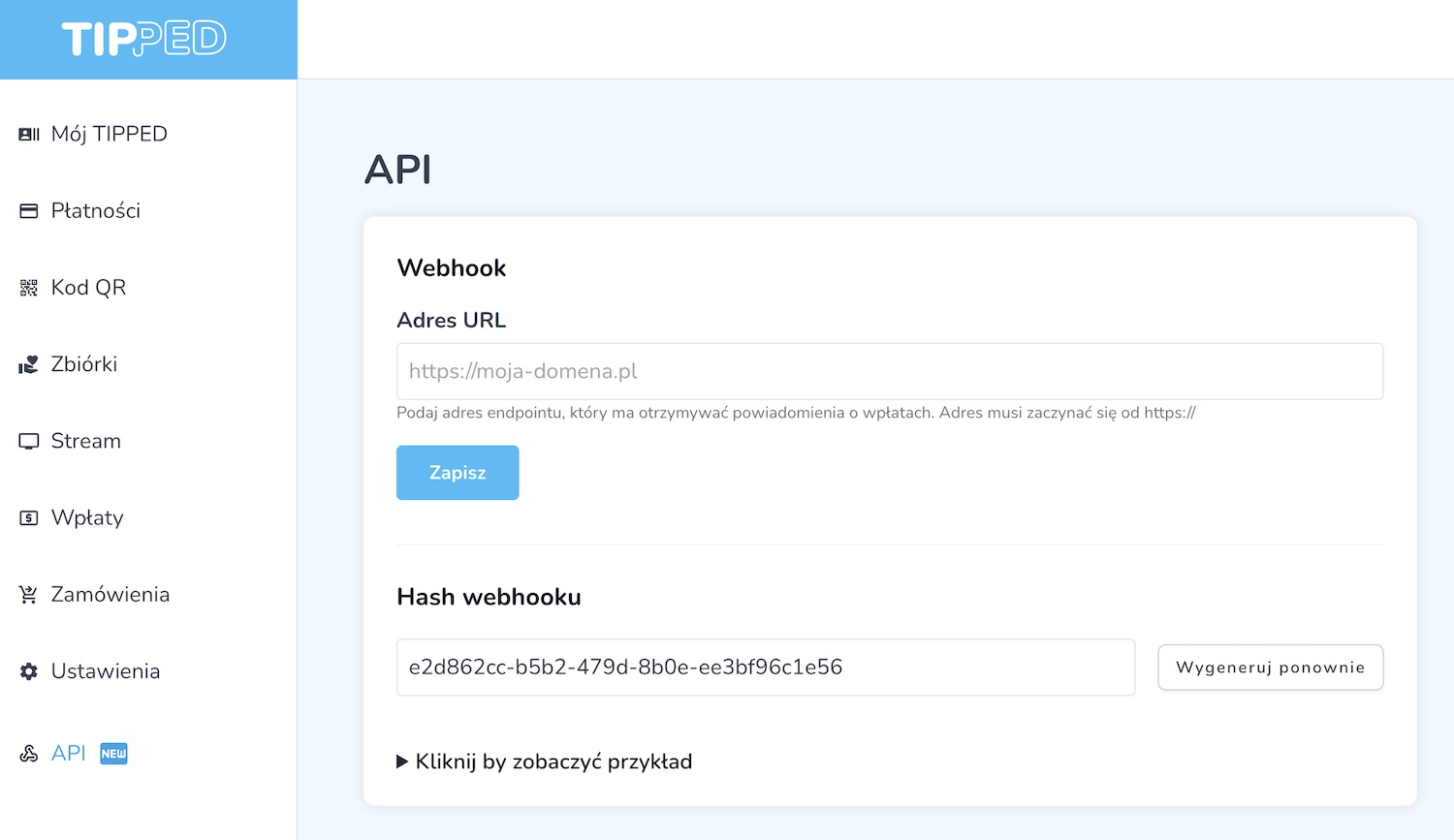
- A unique webhook hash is generated.
- A POST request with the data is sent for every payment.
- Your endpoint should return an HTTP 200 response.
If your server doesn't return a valid response, the webhook delivery will be retried up to five times.
Example webhook payload
{
  "settled_at": "2025-12-30T21:56:10.000Z",
  "order_id": "543041BMJT4MNP1",
  "amount": 6000,
  "currency": "GBP",
  "payer_name": "Martin",
  "message": "Thanks for a great stream!",
  "fundraising_title": "Towards a Porsche"
}
Field descriptions
- settled_at - date and time of the payment (UTC)
- order_id - unique order identifier
- amount - payment amount in the smallest currency unit (e.g. pence)
- currency - currency (e.g. GBP)
- payer_name - the payer's name
- message - message from the payer
- fundraising_title - fundraiser title (optional)
Verification and security
Every webhook request includes a unique x-tipped-signature header, which lets you verify the authenticity of the request and confirm it came from our system.
Use cases
A webhook can be used for, among other things:
- automatic stream alerts,
- integration with OBS, Streamlabs or your own overlays,
- sending notifications to Discord or Slack,
- building reports and accounting systems,
How do I set up a webhook?
Webhook configuration is available in your user panel under the API tab. Simply provide the endpoint address and save your settings.